Composition Overview
What is a Composed Video Stream
Composed video is a single video stream and single audio stream, composed of multiple audio / video streams.
For example: If there is a video meeting with 10 participants, in non-composed format you will get 10 video stream and 10 audio streams.
In composed video, you will get only 1 video stream and 1 audio stream.
How to Enable Composition using Dashboard
Screenshots below show the new dashboard. If you use the classic dashboard, pick the Classic dashboard tab — your choice is remembered on every page. You can switch at any time: Old dashboard in the header takes you back to the classic dashboard, and dashboard.metered.ca/v2 opens the new one. What changed in the new dashboard →
- New dashboard
- Classic dashboard
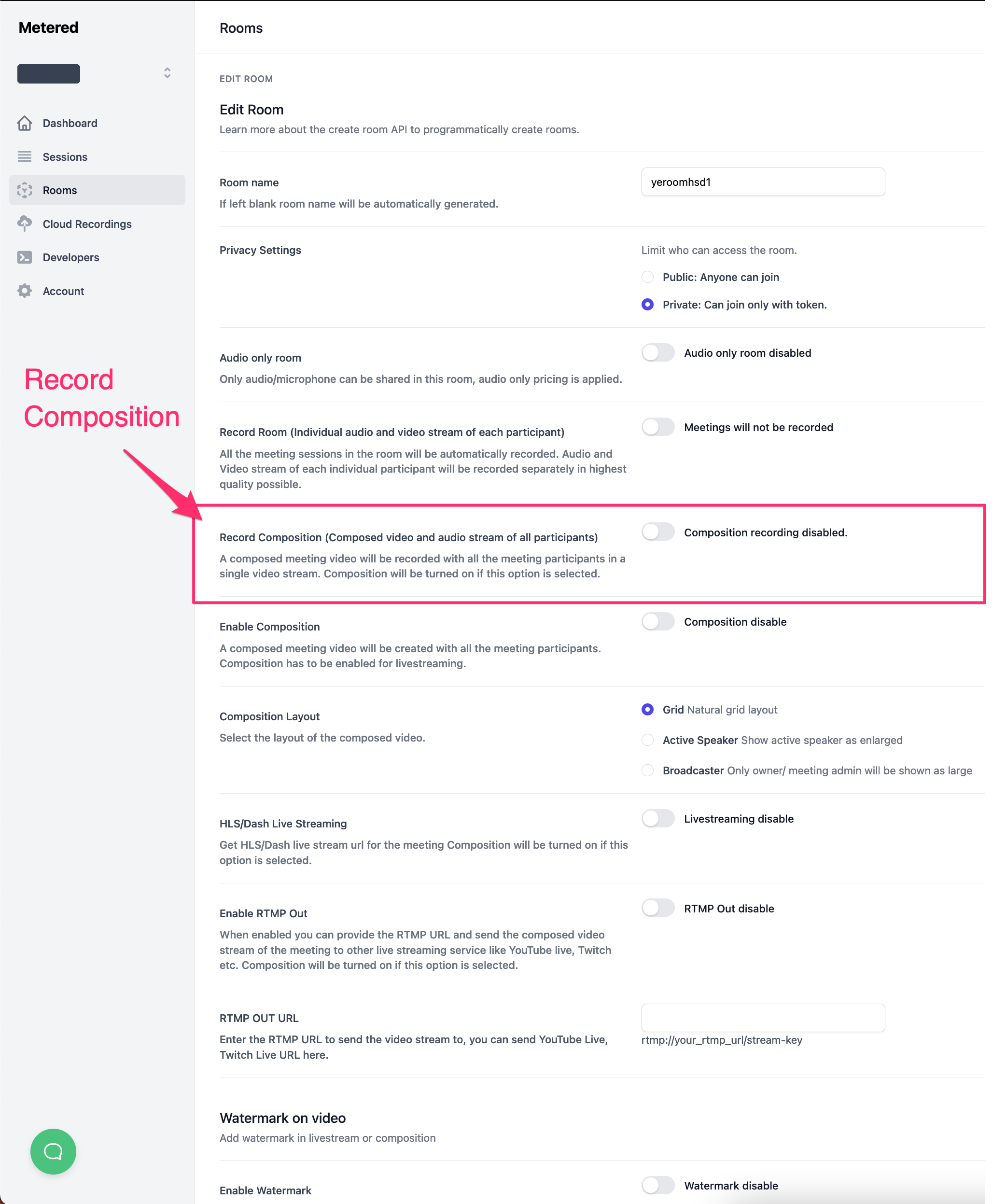
To enable composed video go to Video API & SDK → Rooms → Create room, or open an existing room's ⋮ menu in the Rooms list and click Edit. Changes apply from the room's next meeting session.
In the Recording & composition section, switch Enable composition on.
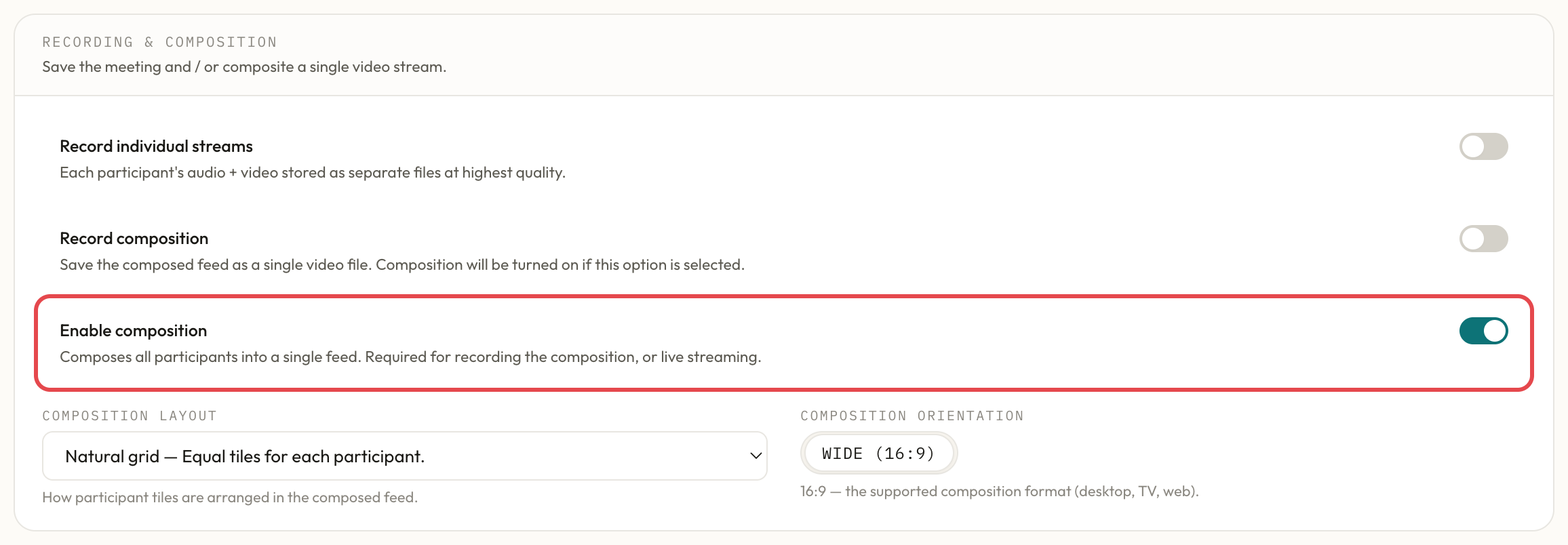
To enable composed video go to dashboard -> create room, or Dashboard -> rooms -> edit room On the rooms page switch the composition on
How to Enable Composition using API
When creating a room set the composition to true or you can set composition on an existing room by using Update room api and sending a PUT request.
Use cases of composed Video
1. Live Streaming
You can live stream a video meeting with multiple participants to millions of users. You can use our live streaming service or use any third party live stream provider to live stream the composed video.
2. Extremely low bandwidth utilization
If you have a large video meeting and some participants have a very low bandwidth, you can send them composed video and it uses extremely low bandwidth because it sends only 1 video / audio stream.